Forward Email for Your Domain to Your Email Using Improvmx
I wanted to put blog@jimdeibele.com on here so I could be contacted without having to reveal my preferred email address. A year from now, maybe I want to switch to blog2@jimdeibele.com because there's so much spam going to the first email address.
Improvmx provides a service where you can control mail for a domain. On the free plan, you can have up to 10 aliases, meaning "blog@yourdomain", "help@yourdomain", "bigboss@yourdomain" and so on. There's also a catch-all option, written as "*". That means that anything that doesn't match an alias will be sent to the catch-all address.
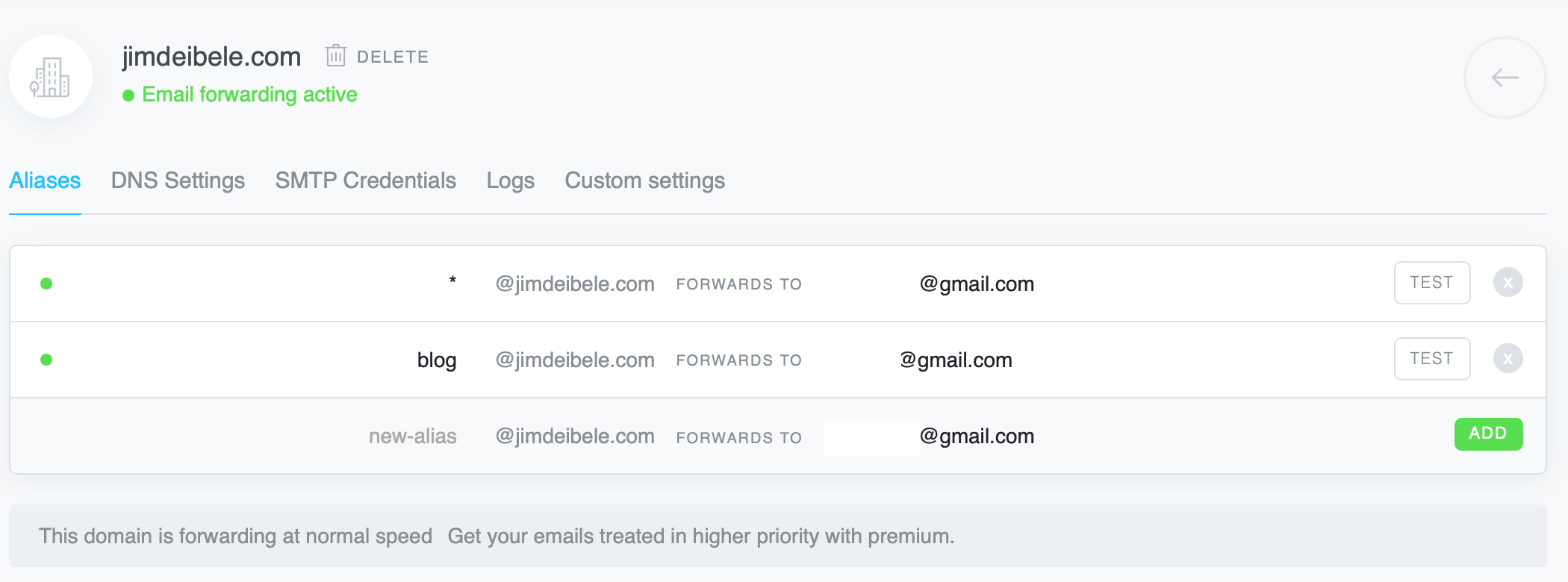
To get this working, you do need to be able to add a TXT record and 2 MX records to your DNS. The MX records are for your main and backup mail servers. The TXT record is to verify that you control the domain.1
If you're a business working at home, you could use this to direct sales to one address, support to another, and so on. Using the ImprovMX paid plan, You could do this in a way that doesn't show the end email address.
So far things have been limited to one test email but it worked fine and quickly. Realistically, I'd be thrilled to get a thoughtful email from a real person once a month from my blog. So I can't see ever needing to pay for higher levels of service in this situation. But in other situations, the dashboard is easy and clear to use and doesn't require an in-house IT person.
1. This seems unnecessary, since if you have a TXT record but the MX records are set to a different mail server than ImprovMX, your mail is going to the other mail server. That's just the way the internet works.